Interactive demo
Click through Ringlane.
Real screens from the app with demo data. Follow the pulsing spot, or use the menu on the left of the screen to look around yourself.
That is Ringlane.
One simple screen for your callers and clear numbers for you. Free during the beta.
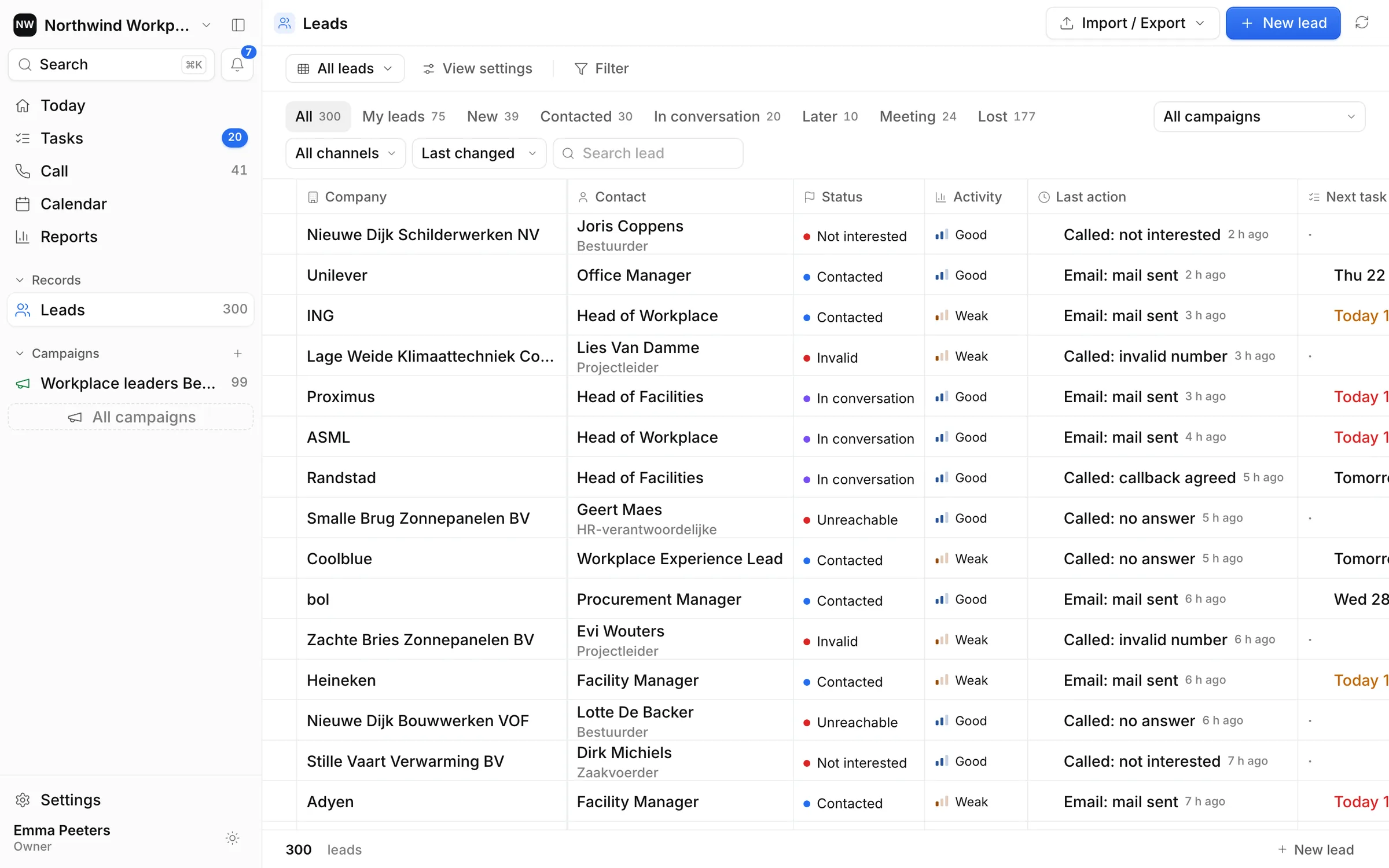
Every lead has a status: new, contacted, in conversation, later, meeting or lost. You see at a glance where each company stands.
- Every lead has a status: new, contacted, in conversation, later, meeting or lost. You see at a glance where each company stands.
- Bring your own list. Import Excel, CSV or a Bizzy export, and export your leads again whenever you want.
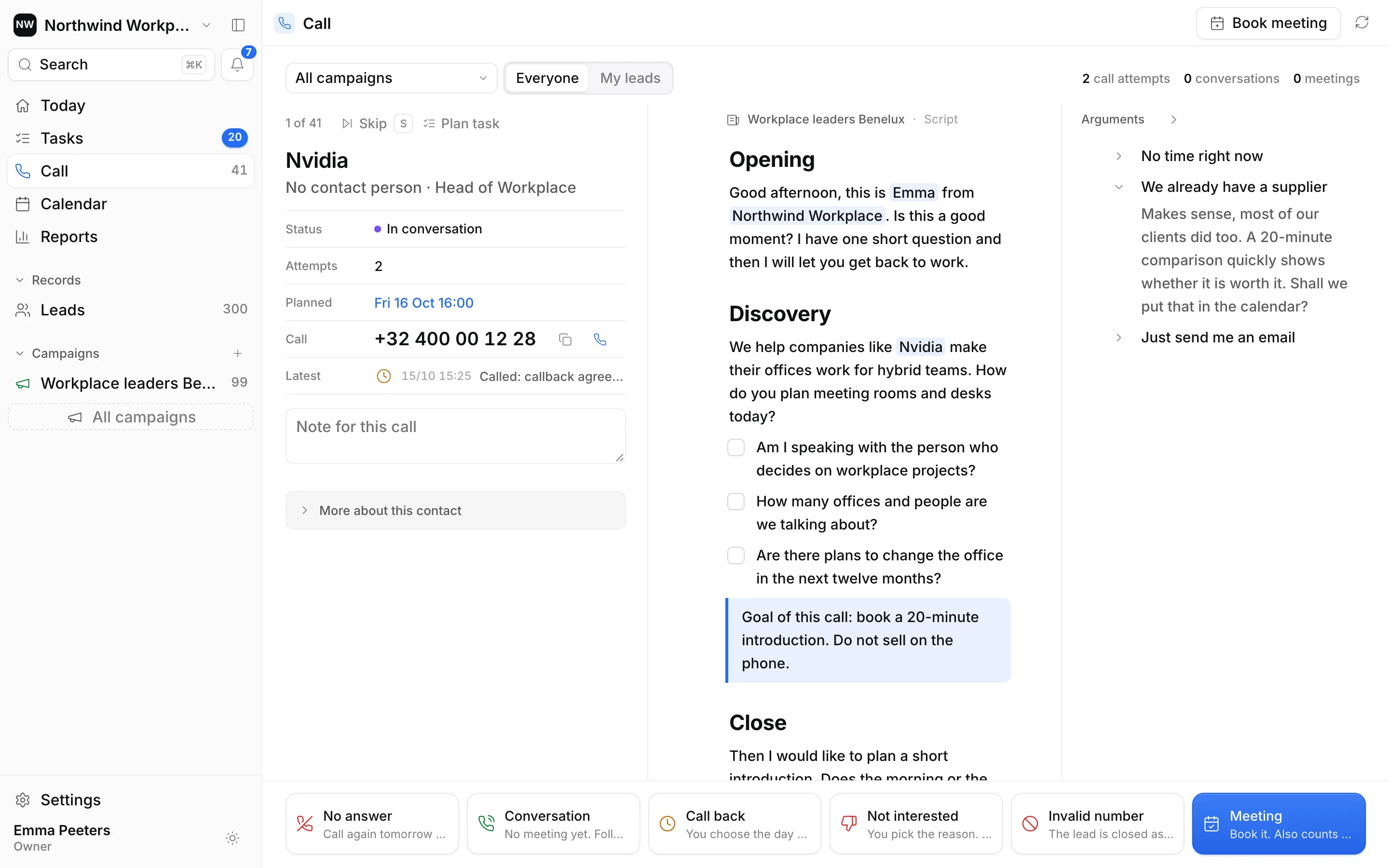
- Time to call. Open the calling screen.
- Click the number to call from your own phone. Ringlane is not a dialer, so you keep your own number.
- The script sits next to the lead, with the company name and your own name filled in. Tick off the questions as you go.
- An objection? The answer is ready in the arguments panel on the right.
- Log the call with one key. "Conversation" plans a follow-up call in three days, so no lead slips through.
- They said yes? Book the meeting while they are still on the line.
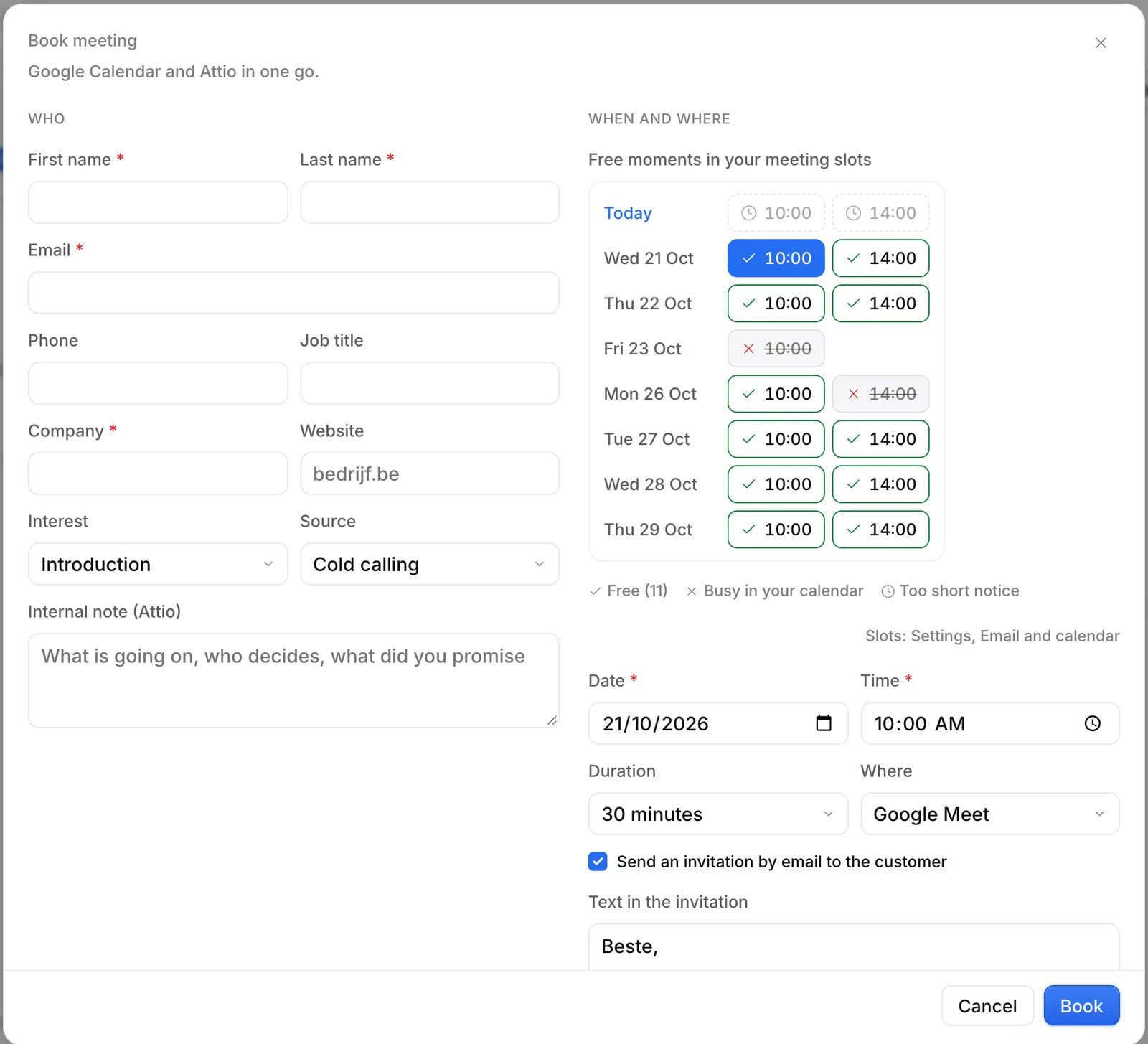
- Ringlane shows your free moments from Google Calendar. Busy slots are crossed out.
- Click Book: a Google Meet link is added, the invitation goes out and the meeting is handed to Attio.
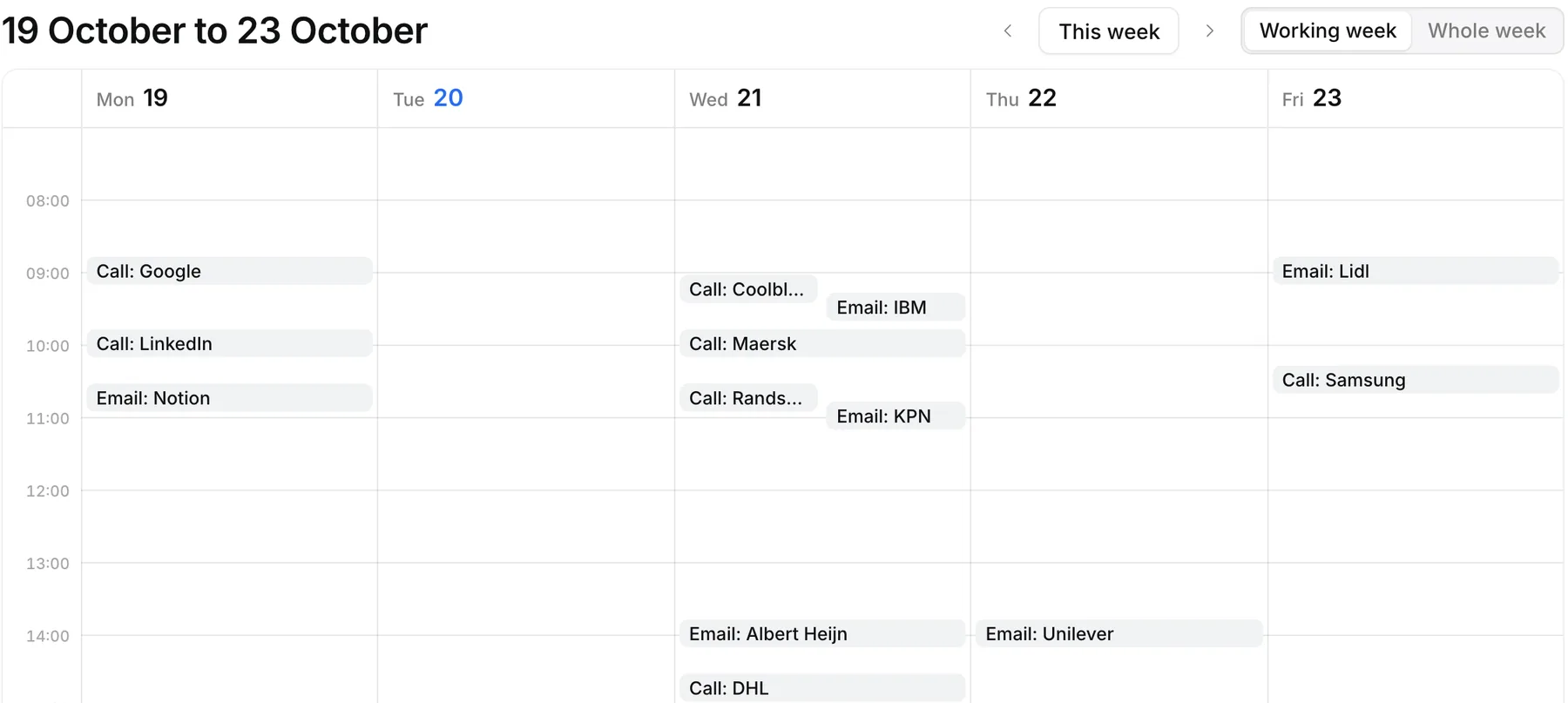
- Every next step lands in your week: who to call or email, and when.
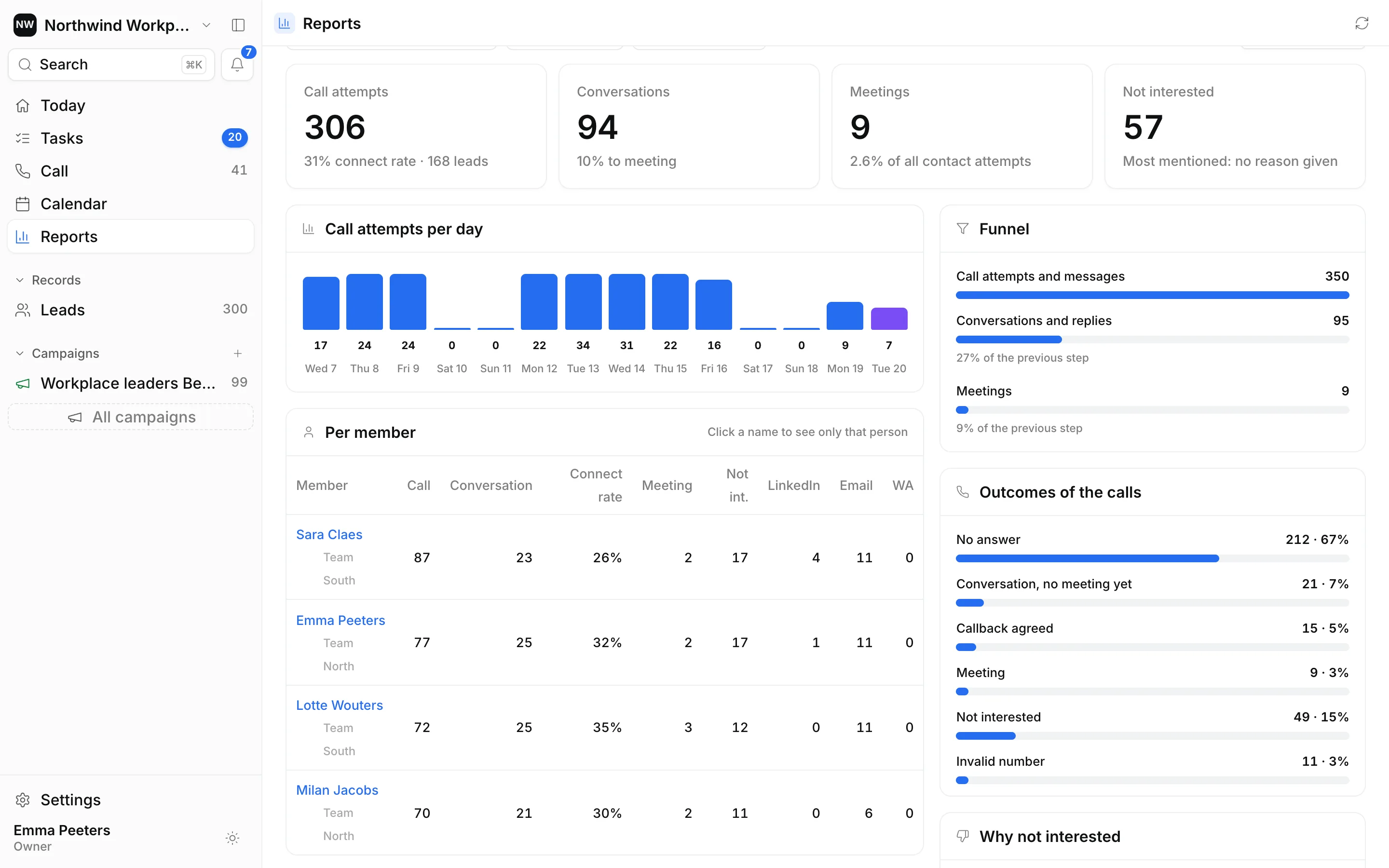
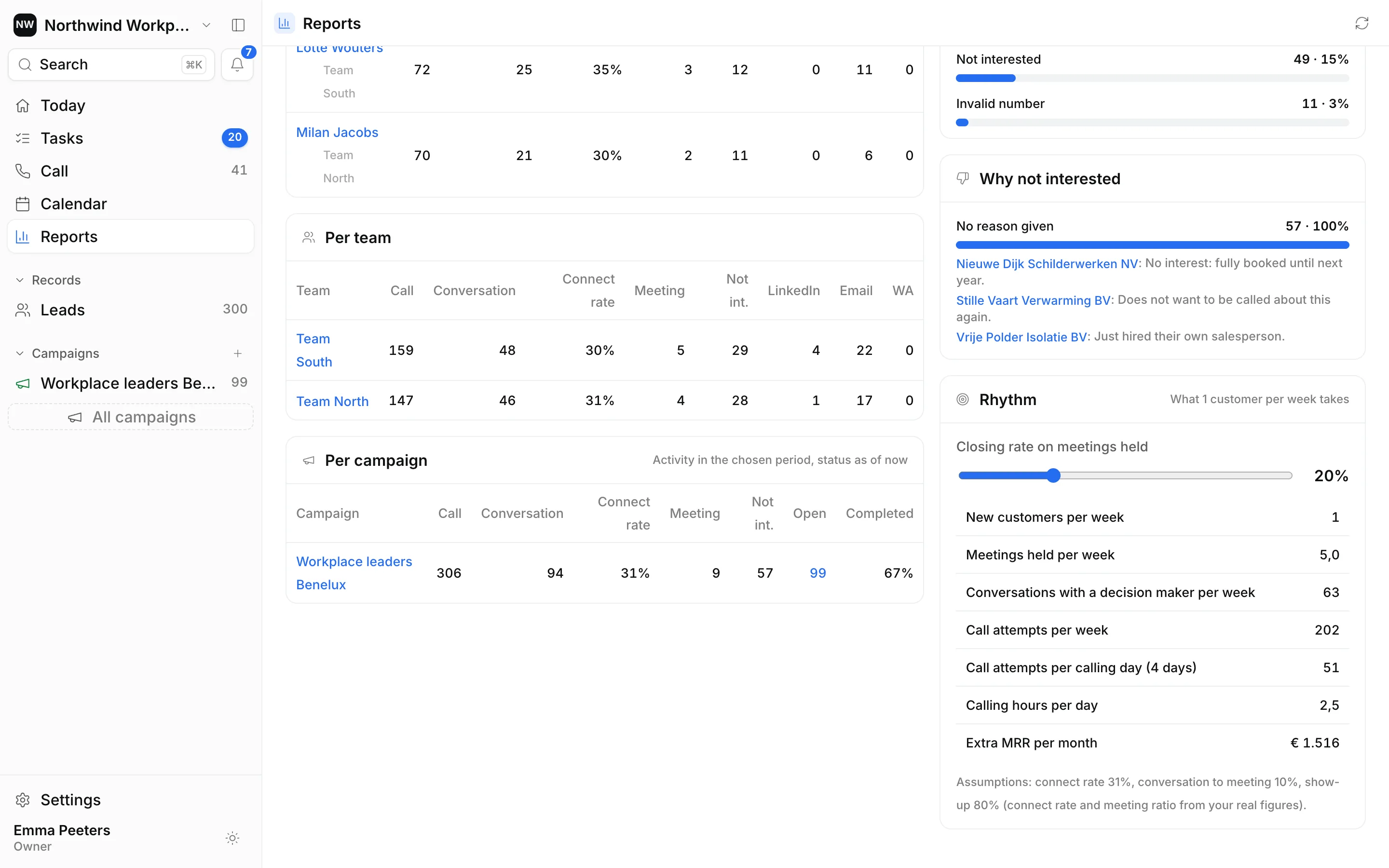
- For owners and managers: calls, conversations and meetings for the whole team, with the rate between each step.
- The funnel shows which step leaks most.
- Compare callers fairly and see who needs help with what. Click a name to see only that person.
- Every "not interested" comes with a reason, so you can fix the pitch or the list.
- And Ringlane calculates what one new customer per week takes, based on your own numbers.
Real screens from the Ringlane app with demo data. No affiliation with the companies shown. Tip: the demo is easiest on a larger screen.