Key figures: the numbers of a call agency
Call hours, hits, conversion rates and untouched records: what each key figure counts and where you see it.
- What each of the eight key figures counts
- What a hit is and which records are handled
- Where you see the key figures
The key figures are the numbers a call agency works with: how many hours were spent calling, how many leads want a meeting, and how well a list converts. They're on the Calling dashboard under Reports, below the call attempts, conversations and meetings.
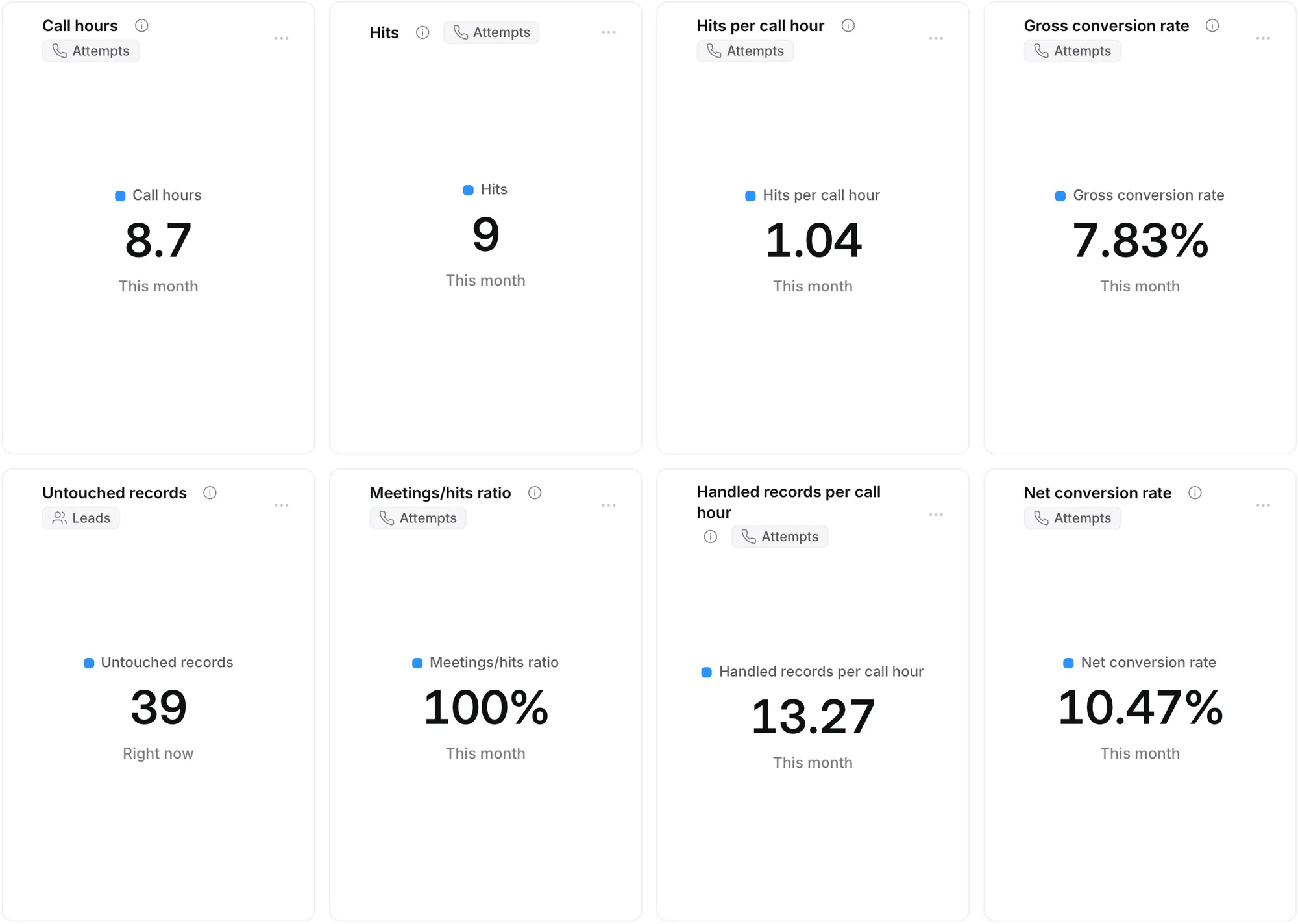
The eight key figures
| Key figure | What it counts |
|---|---|
| Call hours | The hours actually worked: calling and the wrap-up. A break of more than 15 minutes doesn't count. |
| Hits | How often a lead wants a meeting: Wants a meeting, or a meeting booked right away. |
| Hits per call hour | The hits divided by the call hours. |
| Gross conversion rate | The hits divided by the handled records. |
| Untouched records | The leads that have never been called: status New, without an attempt. This is the current state, regardless of the period. |
| Meetings/hits ratio | The booked meetings divided by the hits: how many yeses became a meeting. |
| Handled records per call hour | The handled records divided by the call hours. |
| Net conversion rate | The hits divided by the hits plus the red records. |
Only calls count, not messages via LinkedIn, email or WhatsApp. Hover over a figure for the explanation, or click it for the leads behind it.
Handled, and the colours
A record is handled once a call got an outcome with a colour:
- Green: a hit or a meeting.
- Red: not interested, an invalid number, or unreachable after the last attempt.
- Yellow: there was contact but no decision yet: a conversation, a call back or an email.
No answer, as long as it wasn't the last attempt, and New are not handled. A meeting after a hit doesn't count as a second hit.
How call hours count
Ringlane counts, per caller, the time from call to call: from dialling the number to the outcome and the wrap-up after it. If there are more than 15 minutes between two calls, that break doesn't count. An owner or admin changes that limit under Settings › General › Break that doesn't count towards call hours (minutes).
Where you see them
- On the Calling dashboard under Reports, and as a key figure in any report you build yourself. See Build a report.
- At the top of the call block, next to your call attempts, conversations and meetings: your call hours and hits for today.
- On Today and in the table under Settings › Campaigns: the untouched records and the gross conversion rate per campaign.
Does a lead want a meeting, but there's no time yet? In the Book meeting window, choose Wants a meeting. It counts as a hit, and you get a task to schedule the meeting.